v5.0.0
Oh gosh... yea these patch notes are fricking hugeeeeeeeee hahaha so here goes!
Sooooo excited that this is finally live, I've been working on this since the early persistence betas looool
As a quick summary:
- You can now create your own tags! Favourite and categorise your songs in up to 5 configurable tags/filters! All this data is saved and persistent!
- Tags are shared! You can see your friends' tags, and filter on both your and their selections simultaneously to find songs you both enjoy!
- Settings are now persistent! If you rejoin the world you will not need to change options again!
- Persistent video history! Wondering what that cool song was someone played a week ago? You can now go back through your video history.
- Overhauled VideoPlayer back-end, better loading times, more consistent quality, video title loading, better audio normalisation, stream support!
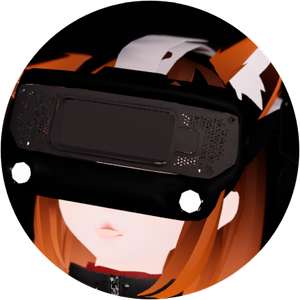
- A new public avatar by @tinkerlucyvr! It supports face tracking woa!
- Tons of new settings, Quality of Life, bugfixes, optimisation and back-end reworks!
_ _
Now all the detailed info for the nerds lol:
- Added user created tags, these persist and will automatically save/load to your VRChat account.
- You can create up to 5 custom tags, name them and select one of 30 icons.
- You can easily assign tags to videos on the right of the database menu after selecting a video.
- The user created tags function just like the normal tags, you can click on them to include/exclude them in your filter.
- User created tags can also be combined with the normal tags, for instance you could have a tag that is all your favourite videos but you could filter it such that it only shows your favourite Fitness Marshall videos.
- Tags can be deleted, they have a confirmation dialogue to prevent accidental deletion.
- You can list your tags and see how many videos are assigned to each tag.
- The filter info at the top of the database has been updated to more clearly communicate the details of the filter/search you have setup.
- You can only add up to 500 videos per tag due to networking and storage limitations. This might change in the future.
- The tags you have assigned to songs will show as icons directly in the songlist so you can easily spot your favourites in a list of songs.
- The database UI can now display up to 20 tags on a selected video (up from a max. of 6), you can scroll the list of tags on a video.
- The videplayer banners that display as you start a video can now also display up to 20 tags.
- You can lookup the tags that anyone else currently in-instance with you has created.
- You can choose to hide some of your tags if you don't want other people to see them.
- If you looked up someone's tags then their tags will also show up on the videoplayer UI as a video plays.
- You can filter on both your own, a friends' and the database's tags simultaneously to find songs that you both like and have both favourited.
_ _
- Added persistence to the menu settings, each setting in the options tab now saves! So it will automatically save/load any settings you to your VRChat account.
- Added reset buttons for each settings category.
- The settings in the admin panel are not persistent due to them being global.
- Tag groups that you closed in the database menu will remain closed when you rejoin the world.
- Added persistence to the camera settings, all your camera configurations, settings and even which camera type you last had active now save!
- If you exit the world while having the camera active (ALT+F4 lol) then your account will immediately be put into the camera as you join, useful for recording alt accounts.
- Added a reset button for the camera output settings.
- Added persistence to the video history tab!
- Modernised the UI design to bring it more in line with the new videoplayer UI.
- It now displays the time and date at which a video was played (in your local time).
- There are now two history tabs:
- *Instance History* shows the last 100 songs played in this instance.
- *Persistent History* shows (and saves) the last 500 songs that have been played in instances that you have been in. So if someone played this cool song a few days ago that you forgot about you can easily find it again!
- Fixed a bug where the order of the history would become incorrect after more than a 100 videos were played.
_ _
- Reworked the VRDancing videoplayer.
- Switched from UnityVideoPlayer to an AVPro back-end.
- Improved resolution for YouTube videos.
- Improved loading times.
- You can still switch back to UnityVideoPlayer for compatibility.
- You can now slow down or speedup the video playback from the admin panel (global).
- So now you can practice difficult choreos at a slower speed!
- Due to technical limitations this only works for the UnityVideoPlayer, so you need to switch away from AVPro first.
- The videoplayer now always supports streams instead of only in manual mode.
- At the top left of the database (in the server widget) you can now see which videoplayer back-end is currently used and at what speed the video is playing (global).
- Added options to set the preferred resolution of the video player (this mainly affects direct YouTube links and often different resolutions aren't available, but hey the setting is there lol)
- The videoplayer now loads titles of YouTube videos along with their channel names and displays these.
- Allowlisted Twitch streams for the videoplayer (no need to set the trusted urls setting in the admin panel).
- The videoplayer now loads titles of Twitch streams and displays these.
- The videoplayer UI now shows different icons and banner layouts depending on whether a video is from our CDN, youtube, twitch or an unknown source.
- Added a setting to adjust the volume of the videoplayer when you leave the dancefloor (walk through the mirror). By default the music will now be slightly quieter when you're not actively dancing.
- Added a setting to adjust the volume of the background mixes that play.
- Improved readability of the progress bar, its thicker, the UI is higher resolution and the text is bigger.
- Reworked the VRDancing videoplayer (continued)
- Fixed a bug where the video would sometimes randomly start flickering or screentearing for AMD users, shoutout to both TechAnon and @natsumida for providing us with the fix.
- Fixed a bug where when playing multiple custom URLs in a row the videoplayer would display the wrong URL in the UI and the wrong person who queued the video.
- Fixed a bug where audio normalisation would sometimes be applied inconsistently if a video started for you while you were not on the dancefloor.
- Fixed a bug where audio volume could be inconsistent depending on where a desktop streaming account is located in the world, its now always consistent and uses the "on dancefloor" volume setting.
- Fixed a bug where the audio volume could suddenly jump if a video loaded in very quickly, now instead it fades smoothly.
- Fixed a bug where a desktop streaming account could remain muted if it was brought into the garden using the handheld camera.
- Fixed a bug where the manual videoplayer mode would not work.
- The manual videoplayer mode now also respects the audio volume settings.
- Removed audio spatialisation on manual videoplayer.
- Removed most buttons from manual videoplayer UI as these are now controlled by options menu settings, you can now only set the URL and video progress in this mode.
- The Video Playback category in the options menu has been renamed to Media Playback, as its more appropriate with all the additional audio settings.
_ _
- Added Echo, a new public avatar by @tinkerlucyvr! Thank you so much for collaborating with us again!
- Full VRC Face Tracking support.
- Inspired by our very own VRDancing mascot.
- Integrated with the new VideoPlayer, it can display the video output on its VR Headset accessory on the avatar.
- Tons of customisation options always :heart:
- Now available in the avatar locker in our changing room!
- Be sure to checkout [TinkeryLucy's shop](https://payhip.com/TinkerLucy)! Her avatars are very epic litty poggers, I wear them all the time yesyesyes
- Added another Discord integration in collaboration with Luxifinity! Whenever a VRD event instance opens our Discord bot now automatically posts a gif with an invitation to join in our general chat!
- Reworked how the database loads in, it now doesn't freeze your client anymore as you approach it. Instead different parts of the database are now loaded in one-by-one in the background. It also has a fancy animation now yippeeee!
- Added support for [Poiyomi Video Texture Decals](<https://www.poiyomi.com/color-and-normals/decals#video-texture>) ! Poiyomi shaders now automatically hook into the worlds' videoplayer! So if you want to add the videotexture to your avatar or add a tablet with the video to your avatar then that is now possible.
- Small database update! Thank you @dragonc0 and @silentt. for the continued maintenance! We added about 30 new entries.
- Fixed about 50 broken database entries.
- @silentt. fixed audio normalisation breaking in previous update aaaaaaa!
_ _
- When an event is currently going on, its border will now be animated and glow.
- The announcement on the mirror will no longer completely reload when entering the changing room. Instead it checks for updates in the background while still displaying the last announcement.
- Whenever a new announcement is displayed that you have not seen before, a notification sound and effect will play.
- The VRD signature sound thats been used in many of our videos now plays as you load into the world.
- When a new update launches the patchnotes will be displayed over the options menu in a new window.
- When a new update launches a small notification shows up on the mirror.
- Added an admin/master setting to manually set the time of day.
- Added refresh button to the events UI.
- Added an option to put the clock in 24-hour format (the superior format btw).
- Added a "Login" sound, its the signature VRD sound we have been using in our videos.
- Added haptics effects to the "Dance" and new "Login" sounds, the haptics can be disabled in the options menu.
- The postprocessing setting for ambient occlussion is now a slider instead of an on/off toggle. So you can adjust how much AO you want. (yes this is because of the new AO meta in vrchat photography xdddd)
- Videoscreen brightness settings now affect each screen in the world, not just the main one. Same for the pixel shader toggle.
- Switched mipmapping to Kaiser mode to use the new DPID mipmapping, distant textures are now less blurry.
- Switched UI shaders over to using the new supersampled UI shader by VRChat, improving readability.
- Added second rule agreement panel on the other door out of the changing room.
- Reduced the range of the side mirror on the small dancefloor variant. This is to prevent the DB and the mirror from being loaded simultaneously.
- Added AJDanceFit, MIScellaneous Bowl and Helle Rasmussen tags!
- Fixed mana co tag not working.
- Updated images of all tags. Marshall is now showing off his armpits instead of saluting woahhhh
- Renamed the Ruhatenizo channel to Emet Sound as their channel is now fully rebranded.
- Added 2025 button in the database date sorting sidebar.
- Added a simple profanity filter on several user-generated inputs.
_ _
- Fixed some initialisation issues with the options menu where the UI of global settings would mismatch what was actually activated in-world.
- Fixed a bug in the updates tab where sometimes patch notes would be displayed without being selected.
- Fixed loading hitch when opening the updates and admin tabs for the first time.
- Fixed the layering of the mirror UI panels such that the announcement is always in front of the upcoming event.
- Fixed stickers being able to be put on the Twitch chat notification widget.
- Fixed Marshall Shrine portal overrendering the campfire.
- Fixed a bug where the automatic door to the garden could remain closed for some players.
- Fixed video title UI clipping through screen on upstairs TV.
- Fixed a bug where some people would appear sideways or upside down on the facecam depending on their avatar, also generally improved the framing of picture thats taken.
- Fixed some UI elements not respecting the haptics and UI sound settings in the options menu.
- Improved performance of VideoPlayer UI.
- Added additional failsafe to prevent the followcam from crashing.
- Adjusted the automatic height adjusting of the mirror UI again to ensure the UI panels move around less when its unnecessary.
- Postprocessing bloom now spreads out less on higher settings making them more usable without making the entire screen bright.
- Improved postprocessing performance.
- The resync/reload buttons now actually also reload the manual videoplayer if that videoplayer mode was selected from the admin menu.
- Improved lighting and materials of several assets.
- Big optimisation pass, reduced world size from 100MB down to 75MB
- Reduced world VRAM usage.
_ _
- Added new stories to the computer monitor, submit your own through the Discord.
- Added new randomised greeting messages to the options menu.
- Updated admin picture at the top of the DB.
- Updated pictures around the world.
- Updated credits.
- Updated staff info.
- Lots of security updates.
- Updated Patreon bench.
- Names of patrons that are in-world will now light up and glow, thanks for all the support, yall make huge updates like these possible! c:
Enjoy the update gaymers xoxo :heart: